
How to Reset Your Password at EXTREMECASH: A Detailed Guide
Leave Comment/ by E /Aug 30, 2024
Step 1: Navigate to the EXTREMECASH Login Page
Begin by visiting the EXTREMECASH website. Click on the 'Login' button typically found at the top right of the homepage to access the login form.
Step 2: Access the Password Reset Feature
Below the password input field on the login form, you will find a link labeled "Forgot Password?" or "Reset Password." Click this link to initiate the password reset process.
Step 3: Submit Your Registered Email Address
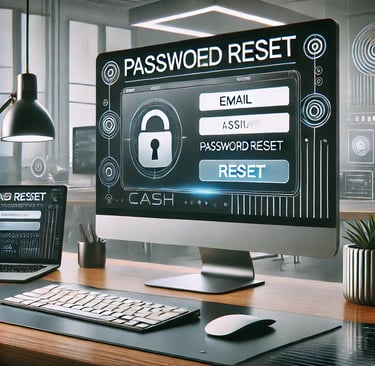
You will be directed to a password reset page where you must enter the email address associated with your EXTREMECASH account. It is crucial to provide the email you used during registration, as the password reset instructions will be sent to this address.
Step 4: Check Your Email for the Reset Link
After submitting your email, check your inbox for an email from EXTREMECASH containing the password reset instructions. If you do not see the email, check your spam or junk folder. The email will include a link that you need to click to proceed with resetting your password.
Step 5: Create a New Password
Clicking on the reset link in the email will take you to a secure page on the EXTREMECASH website where you can create a new password. Choose a strong password that includes a combination of letters, numbers, and symbols to enhance security. You will likely need to enter the password twice to confirm it.
Step 6: Confirm and Complete the Reset Process
After setting your new password, submit the form to update your account details. You should receive a confirmation message indicating that your password has been successfully reset. You can now use the new password to log into your account.
Troubleshooting Tips
If you encounter any issues during the password reset process, consider the following tips:
Email Not Received: Ensure that you have entered the correct email address. If the email is still not received, contact customer support for further assistance.
Expired Link: Password reset links are typically time-sensitive. If your link has expired, you will need to repeat the process to generate a new link.
Browser Issues: Make sure your browser is up-to-date, as older versions may not support all functionalities of the EXTREMECASH website. Clearing the browser cache and cookies can also help resolve loading issues.
Enhancing Your Account Security
Resetting your password is an opportunity to enhance the security of your EXTREMECASH account. Consider enabling two-factor authentication (2FA) if available, and always choose passwords that are difficult to guess.
Conclusion
Resetting your password at EXTREMECASH is designed to be a seamless process. By following these steps, you can ensure that your account remains secure and accessible. Continue to enjoy the vast array of gaming options at EXTREMECASH with peace of mind, knowing that your account is protected.
Get in touch
QUICK GUIDE ON HOW TO REGISTER
Let's Talk
info@extremecash.org.ph


ALL RIGHTS RESERVED 2024